So here’s something of an oddity; the Oxford English Dictionary thinks the word ‘Anglosphere’ is a mere thirty years old this month.

A Little More Web Kipple
So here’s something of an oddity; the Oxford English Dictionary thinks the word ‘Anglosphere’ is a mere thirty years old this month.
Another little aide-memoire masquerading as a blog post; the specific incantation required to turn a video into a named sequence of images with ffmpeg is…
ffmpeg -i <path to source video> -vf fps=<frames per second> <output directory/basename->%d.png…where…
<path to source video> is the path to the video file in question.
<frames per second> is the number of frames per second of footage to extract. This can be less than 1 if you wish to extract at a lower rate than one frame per second.
<output directory/basename->%d.png is a composite instruction to create files in the directory ‘output directory’, for these files to have the prefix ‘basename-‘, and for these files to have an incrementing count appended to the end. It also specifies that the output files should be in the ‘.png’ format.
A nice short on how the British Film Institute uses 3D printing to maintain and improve it’s archiving tech.

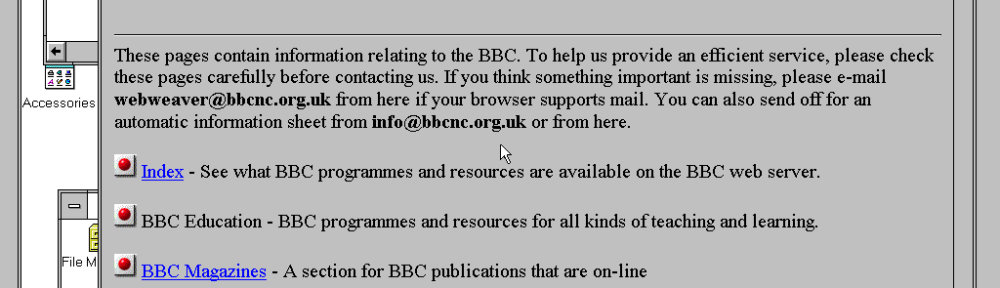
It’s time to add another machine to Period Sites with Period Browsers – this time it’s an instance of Windows 95 with Attachmate’s Emissary 2.0. See it’s first run here!
This is something I’ve been meaning to write up for a little while and, with the success of the Internet Archive’s recovery from it’s attack, it makes sense to do so now.

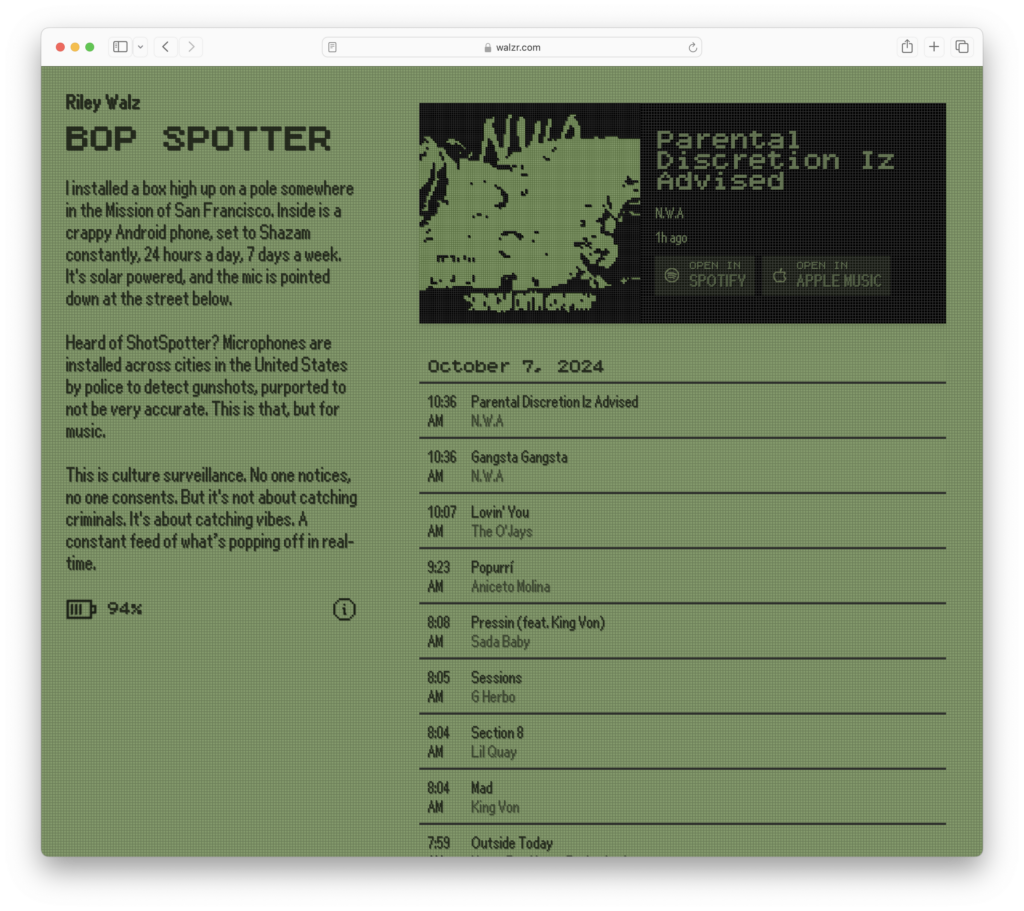
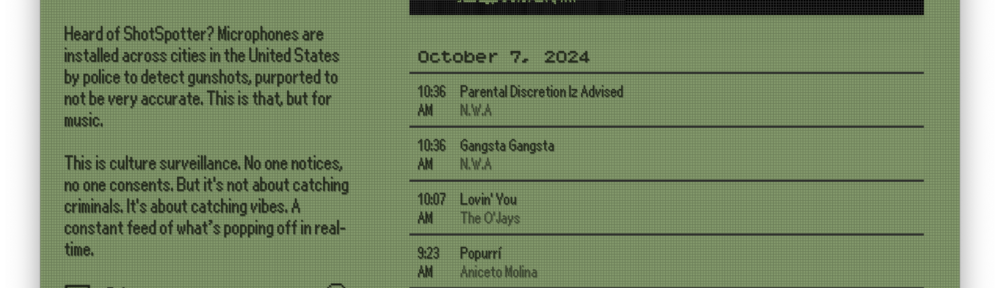
Bop Spotter is an interesting little curio; take an Android phone, set it to run Shazam on a loop, and then hide it somewhere (in this case San Franciscos’s Mission district) with a solar panel attached and suddenly you have the the culture-tasting equivalent of ShotSpotter, generating the unique soundtrack to a particular location. San Franciscos’s Mission is, of course, a very particular environment with a distinct feel too it, so it’d be interesting to see how it would contrast with other locations around the world – though I do suspect that most would end in the brief bang of a controlled explosion.
So the City of York Historic Environment Record department has a an interesting, if infrequently updated, blog covering archeology and historic conservation efforts in York.

Now my preferred way of reading blogs – especially those which are not frequently updated – is to stick that particular blog’s RSS feed in my reader and to let the updates come to me. Unfortunately the YHER Blog doesn’t have an obvious link to a feed, but, after a little poking around at the page’s HTML, I’ve managed to find a URL that seems to work: York Historic Environment Record Blog RSS Feed.
And that should perfect to be fed into your reader of choice!
Apparently the hot new things is to train your A.I. on Reddit – something that doesn’t have a particularly great track record…

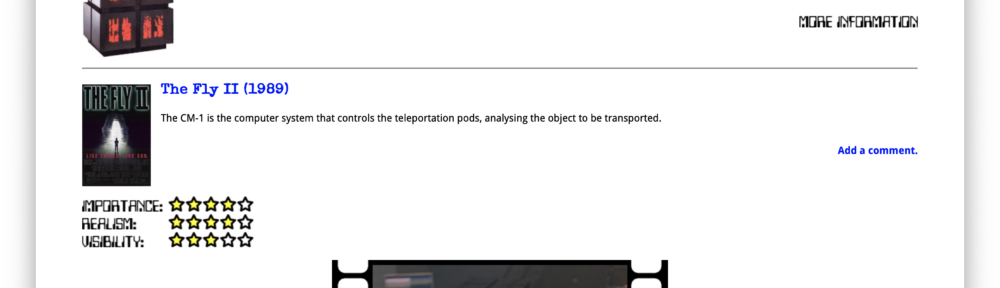
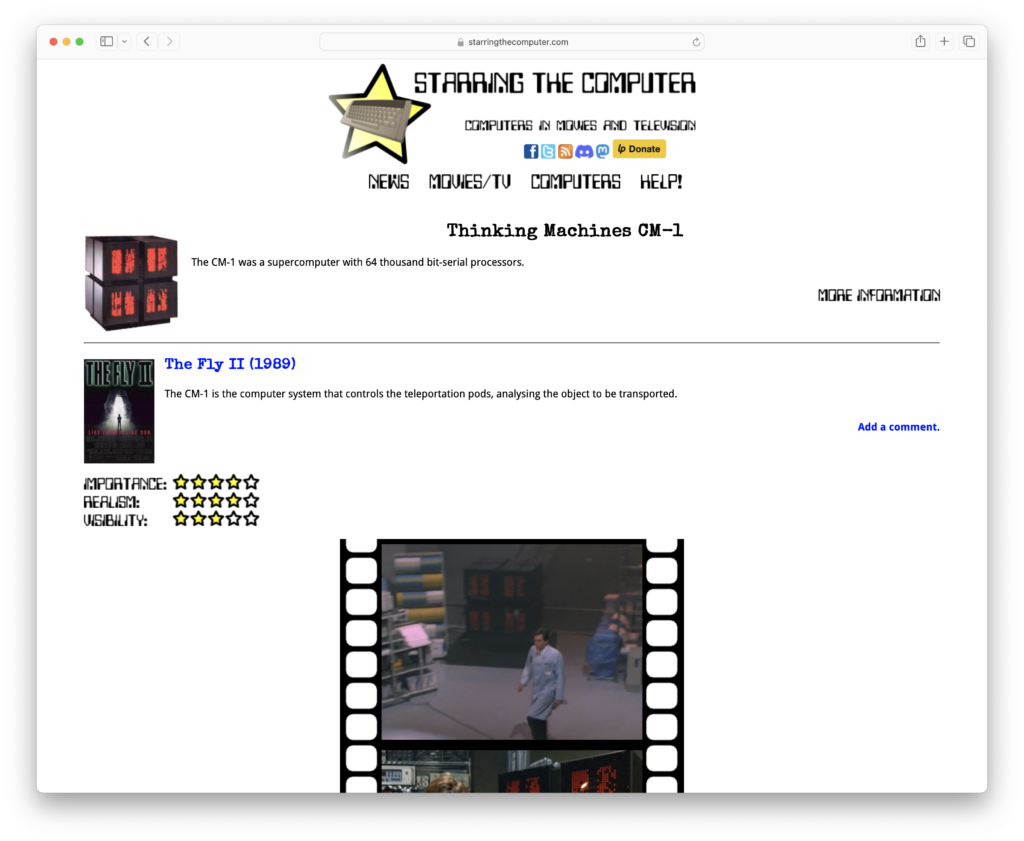
Starring the Computer is a fun – if somewhat geeky – site recording the use of various computers in films and television. As long with the usual suspects – such as the Apple Macintosh SE and the Commodore 64 – they have some more obscure devices, such as the Thinking Machines CM-1 pictured below. It is really worth a look.
Another handy little magic spell for MacOS Sonoma’s Time Machine tool is…
log show --predicate 'subsystem == "com.apple.TimeMachine"' --info | grep "Estimated full backup will"
…which – when entered into a suitable Terminal instance – will print out Time Machine’s recent estimates of the storage costs of a full backup…
2024-05-02 06:46:35.507588+0100 0x3c5be8   Info        0x0                  291    0    backupd: (TimeMachine) [com.apple.TimeMachine:SizingProgress] Estimated full backup will contain 3113124 files (8.91 TB) from all sources
2024-05-02 07:46:49.802454+0100 0x3cd657   Info        0x0                  291    0    backupd: (TimeMachine) [com.apple.TimeMachine:SizingProgress] Estimated full backup will contain 3113163 files (8.91 TB) from all sources
2024-05-02 08:46:57.526626+0100 0x3d611b   Info        0x0                  291    0    backupd: (TimeMachine) [com.apple.TimeMachine:SizingProgress] Estimated full backup will contain 3113223 files (8.91 TB) from all sources
2024-05-02 09:47:03.731963+0100 0x3e04eb   Info        0x0                  291    0    backupd: (TimeMachine) [com.apple.TimeMachine:SizingProgress] Estimated full backup will contain 3114585 files (8.91 TB) from all sources
2024-05-02 10:47:35.409635+0100 0x3ecb04   Info        0x0                  291    0    backupd: (TimeMachine) [com.apple.TimeMachine:SizingProgress] Estimated full backup will contain 3116304 files (8.91 TB) from all sources
All very useful when shopping for a new target disk of if your monitoring your storage growth.